
Our survey reports are designed to give you a clear, visual breakdown of your customer feedback. This guide will help you navigate a few types of data visualization available: Net Promoter Score (NPS), Single or Multiple Choice Responses, Range-based and Open-ended questions.
1. Net Promoter Score (NPS) Overview
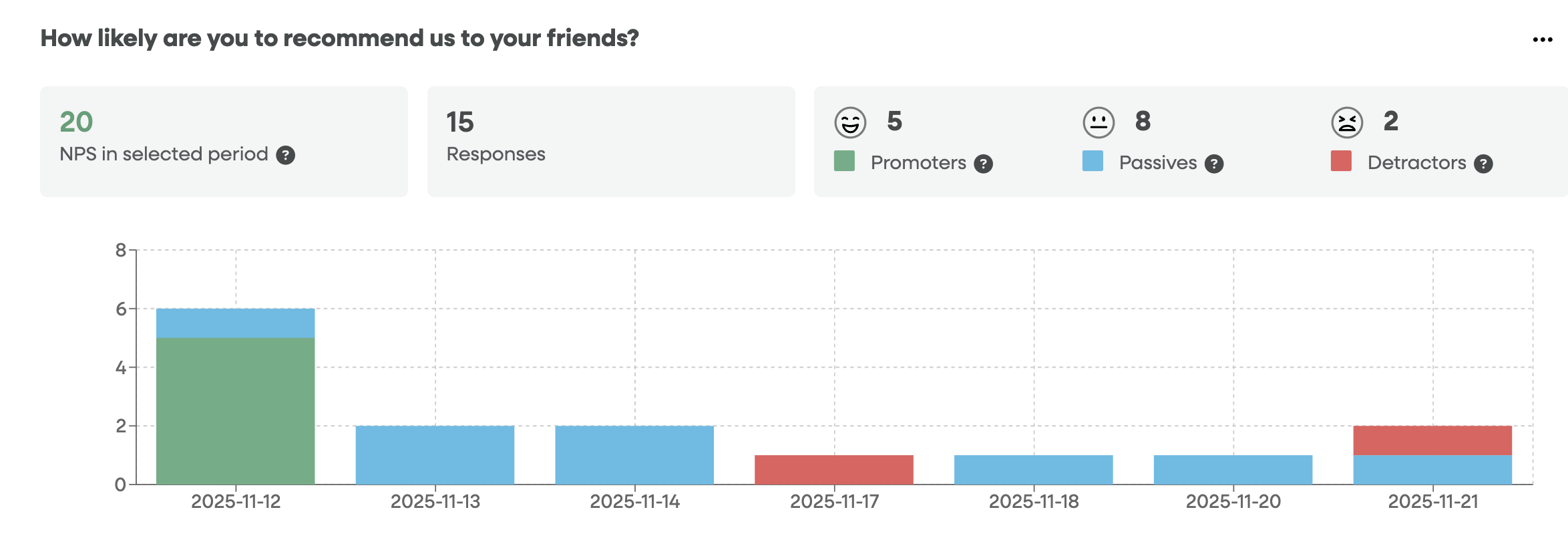
The NPS section measures customer loyalty by asking how likely users are to recommend you. It categorizes respondents into three groups:
Promoters (Score 9–10): Enthusiastic, loyal customers (Green).
Passives (Score 7–8): Satisfied but unenthusiastic customers (Blue).
Detractors (Score 0–6): Unhappy customers who can damage your brand (Red).
Key Metrics
NPS Score: The score ranges from -100 to 100.
Responses: The total number of people who have answered the survey in the selected timeframe.
Breakdown Bar: Displays the raw count of Promoters, Passives, and Detractors.
Timeline Chart
The bar chart below the summary shows when your responses were received.
Stacked Bars: If a single day has multiple types of responses (e.g., Nov 12), the bar will be stacked with green, blue, or red to show the mix of sentiment for that specific date.
2. Choice-Based Questions
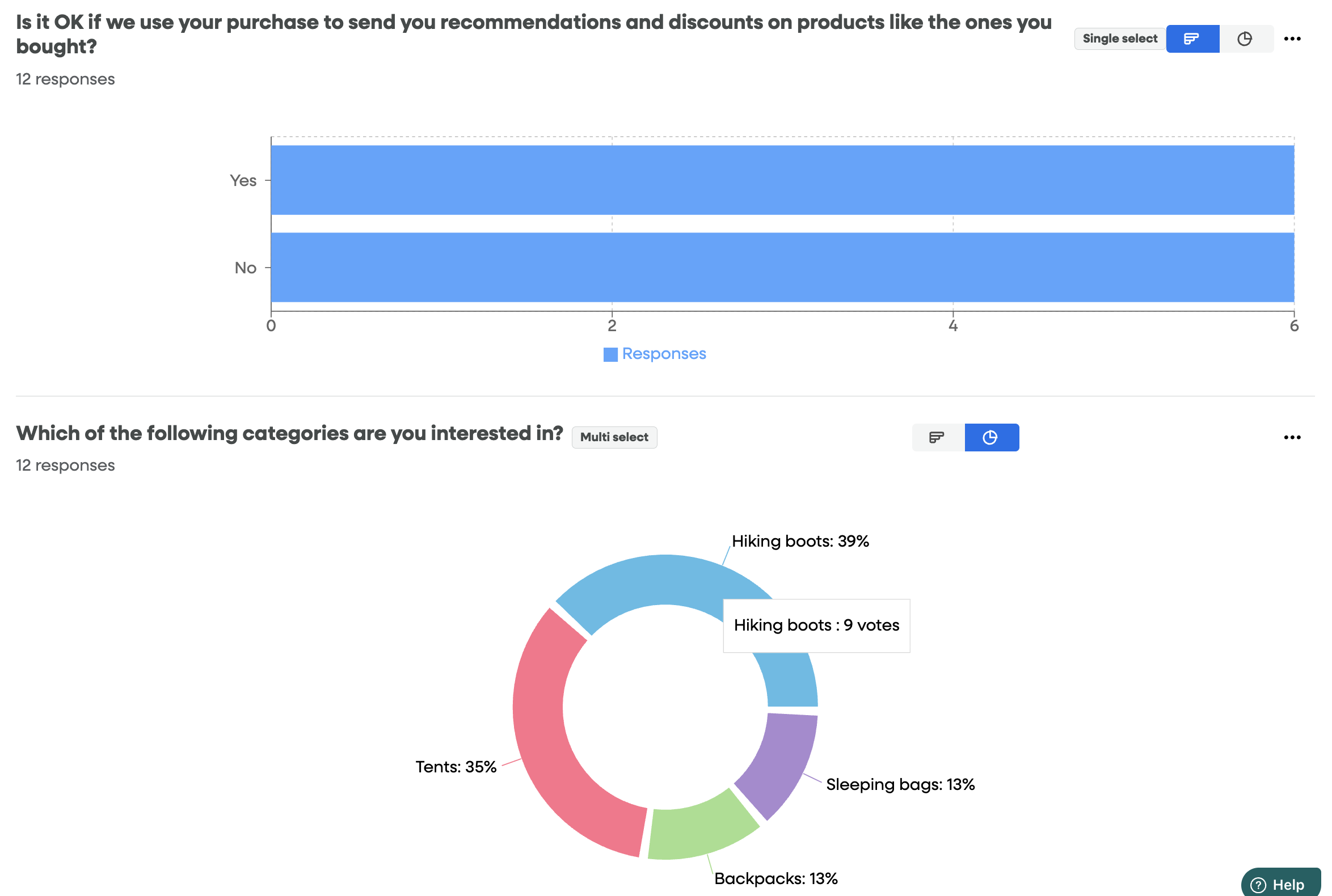
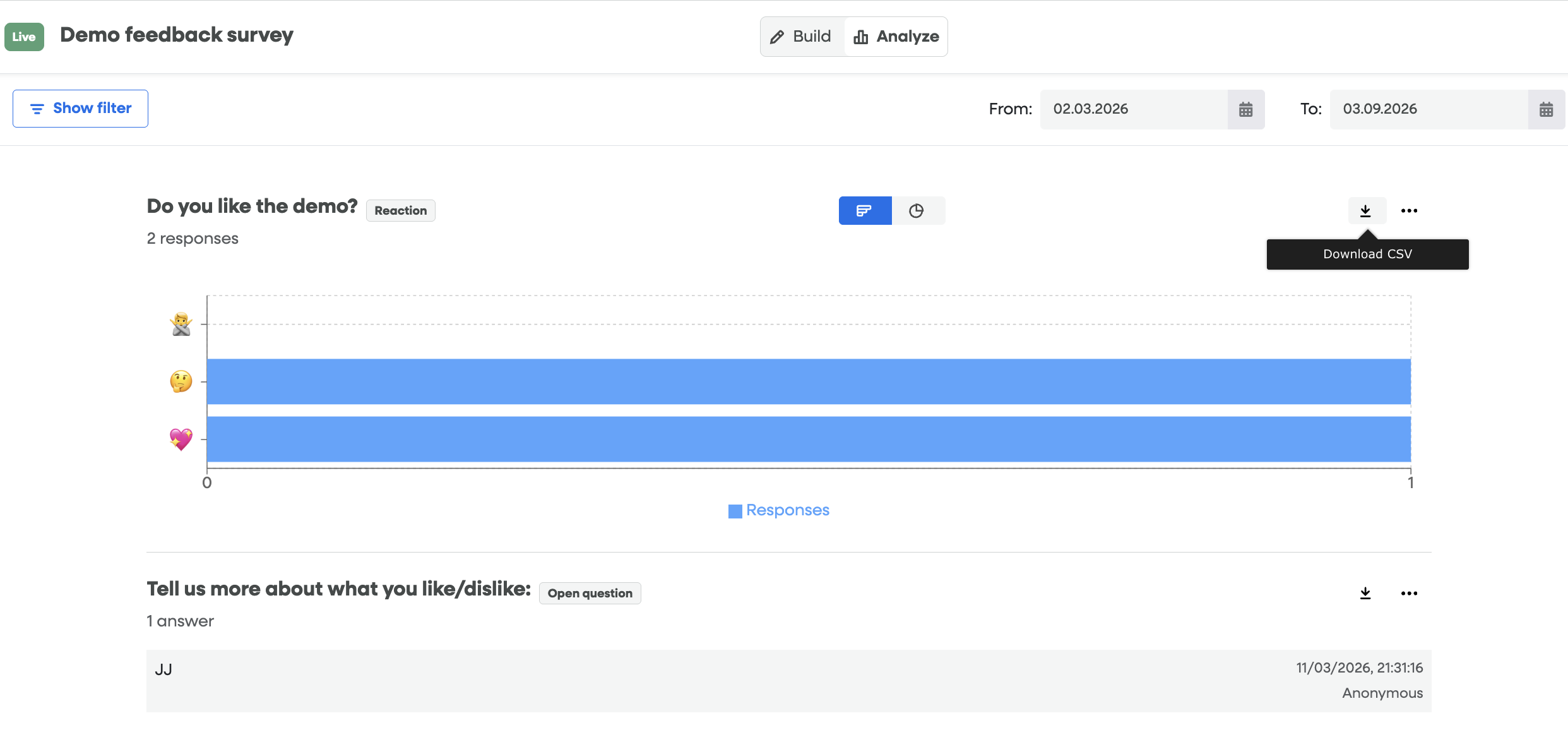
For Single Select or Multiple Choice questions, the report provides a visual breakdown of how users voted.
Toggle Views: You can often switch between a Bar Chart (for easier comparison of volume) and a Pie Chart (for easier comparison of proportions) using the icons in the top-right corner of the question block.
Pie/Donut Chart: Provides an immediate view of the distribution of choices. Each "slice" represents an option, labeled with the percentage of total votes it received.
3. Range Questions
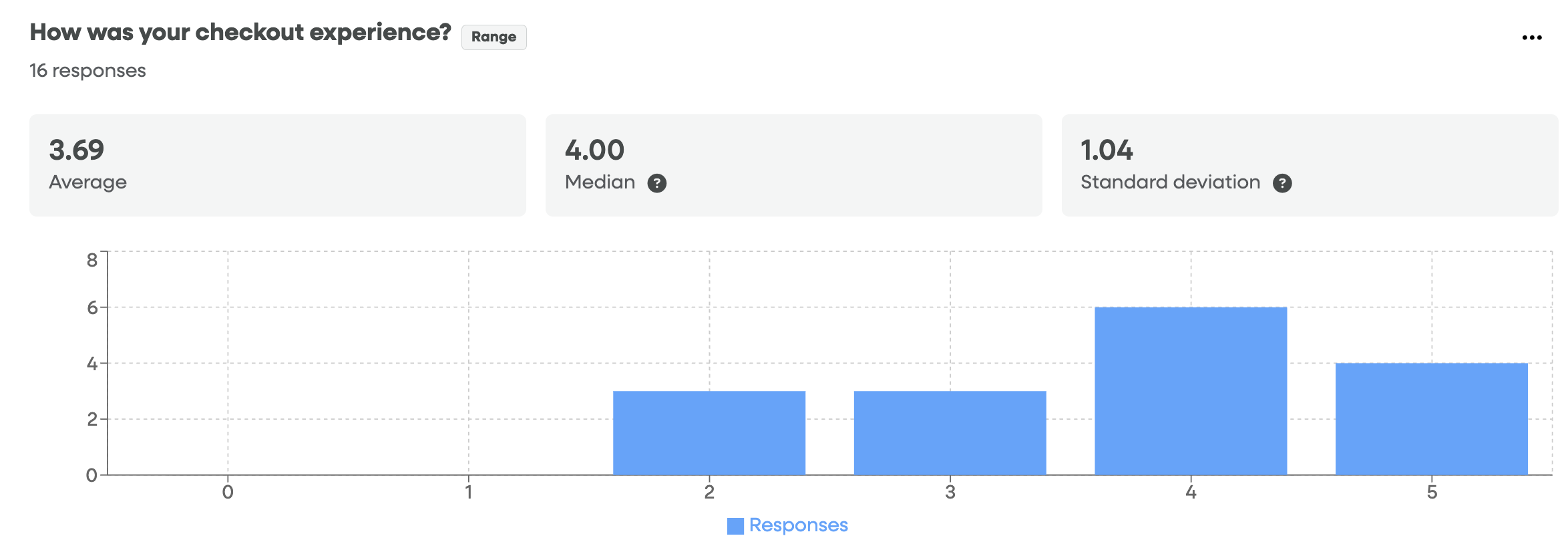
Range questions (e.g., "Rate your experience from 1–5") help you quantify satisfaction levels. The report automatically calculates the statistical health of these responses.
Key Metrics
Average (Mean): The mathematical average of all scores. This gives you a high-level "temperature check" on performance.
Median: The middle value in your data set. This is often more reliable than the average if you have "outliers" (extreme high or low scores) that might skew the results.
Standard Deviation: This measures how much your scores vary.
Low Deviation: Most users agree and gave similar scores.
High Deviation: Users have very different experiences; some love it, some hate it.
Distribution Bar Chart
The bar chart displays the frequency of each specific score. This allows you to see at a glance if your data is "top-heavy" (mostly 4s and 5s) or if there is a concerning cluster of low scores.
4. Open-Ended Questions
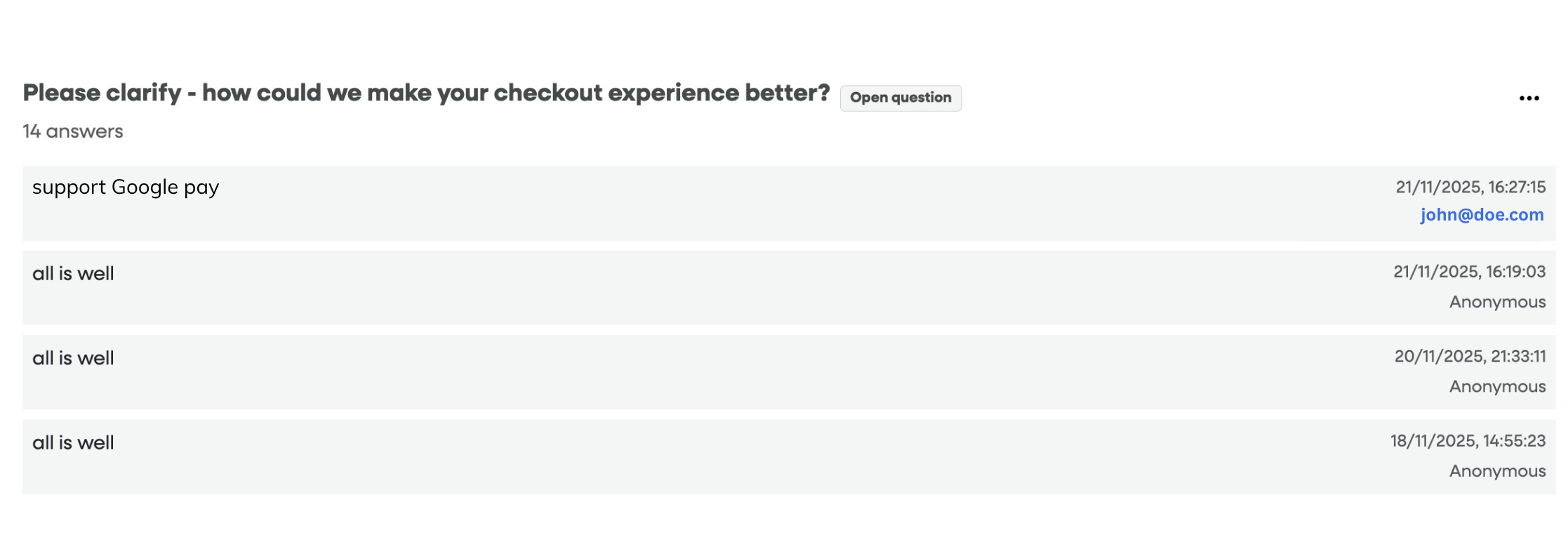
Open-ended questions provide the "Why" behind the numbers. This section lists raw text responses directly from your users.
Response List: Comments are displayed in a feed format, showing the most recent feedback at the top.
User Identification:
Identified: If the userID was implemented, you will see their userID (displayed in email address or a number string, depending on how you define userID on your application).
Anonymous: If no userID was implemented or it was not sent to Usetiful Reporting in Privacy settings, they will appear as "Anonymous."
Timestamp: Every comment includes the exact date and time it was submitted, allowing you to correlate feedback with specific site updates or marketing campaigns.
Pro Tip: When analyzing Range questions, a high Standard Deviation is a signal to dive into the Open-Ended comments. It usually means a specific group of users is struggling with something that others are not.
5. Managing Your Data
In the top-right corner of each question type report, you have access to data management tools:
Download CSV: Export all raw response data including userID (if userID was implemented), to a spreadsheet for deeper analysis or to upload into your CRM.
Delete answers: Use this with caution! This will permanently wipe the data for the current survey period—usually used for clearing out "test" data before a real launch.
Pro Tip: Keep an eye on the Passive (Blue) group. While they don't hurt your NPS score, they are "neutral." Converting a few Passives into Promoters is often the fastest way to significantly boost your overall score!