
You can send your survey data to any third-party service in real-time via Webhooks. Unlike traditional survey exports that wait for a "submit" button, these webhooks are triggered on individual question answers. This means you get data immediately as the user interacts with the survey, regardless of whether they finish the entire survey or drop off halfway.
Step 1: Select Your Triggers
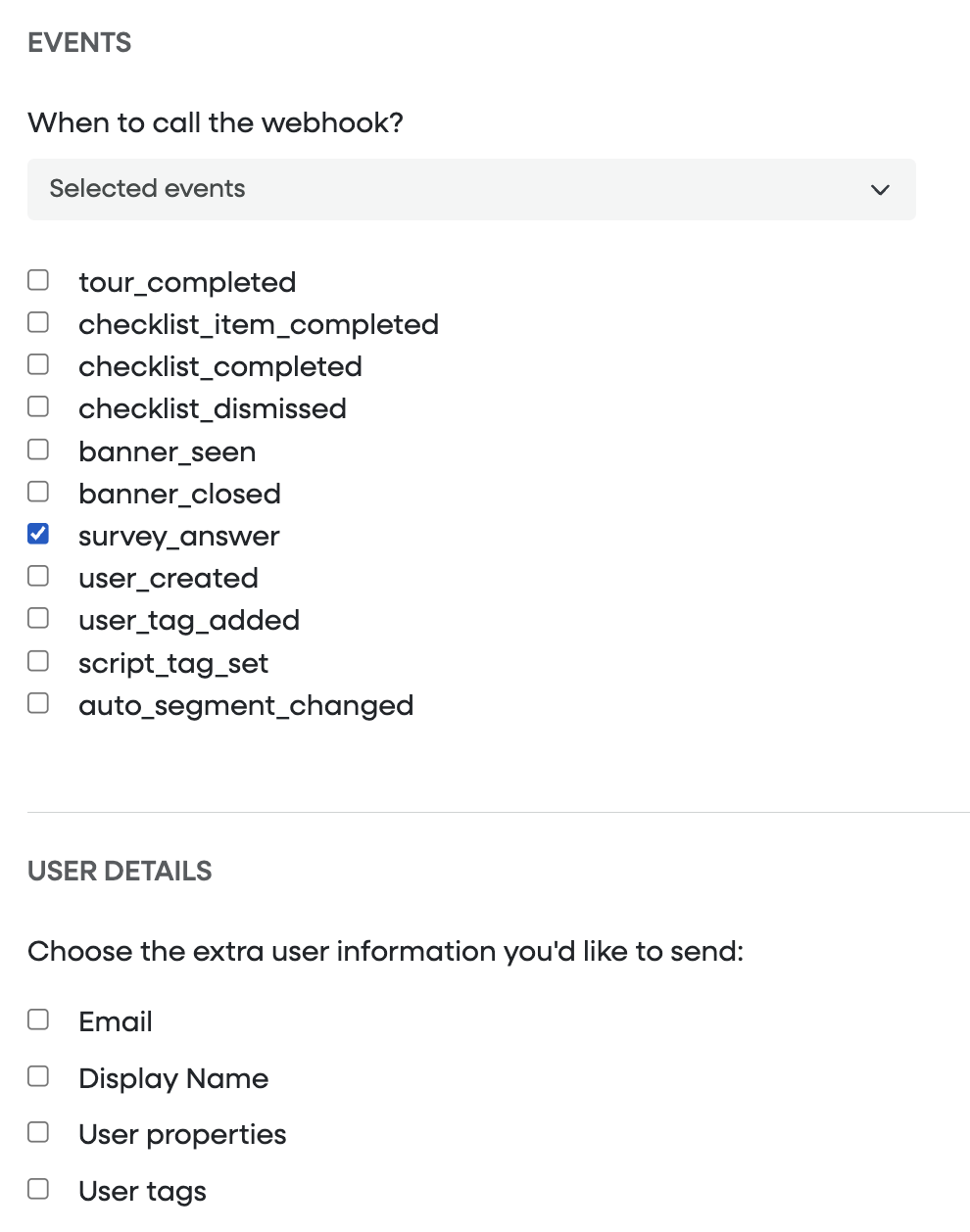
Under the Events section, you can define exactly what actions should ping your webhook.
Real-time Answers: To receive feedback as it happens, ensure
survey_answeris selected.Granular Control: You can also choose to trigger webhooks for other lifecycle events, such as when a tour is completed, a checklist is dismissed, or a specific banner is seen.
Step 2: Customize User Details
Beyond the answer itself, you can enrich the webhook notification with specific metadata. Under User Details, check the boxes for the additional context you want to include in the JSON payload:
| Field | Description |
| Includes the respondent's primary email address. | |
| Display Name | Includes the full name associated with the user profile. |
| User Properties | Sends system-level properties (e.g., account creation date). |
| User Tags | Sends custom segments or labels you’ve applied (e.g., plan: premium). |
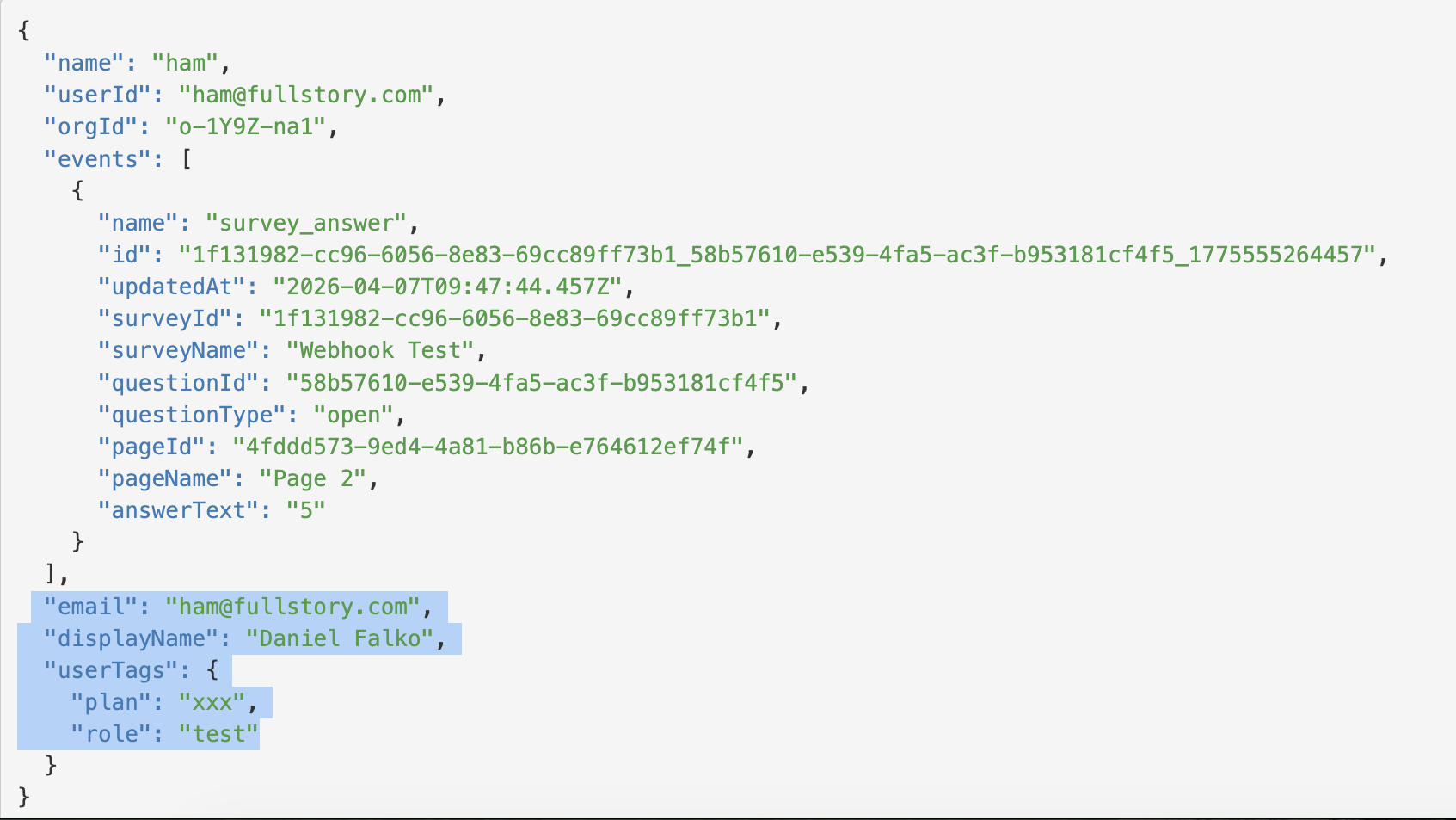
Example of the survey data sent via Webhook:
Why use real-time webhooks?
Instant Follow-up: Trigger an automated email or Slack alert the moment a user provides a low NPS score or asks for help in an open-text field.
Partial Data Capture: Gain insights even from users who abandon the survey after the first few questions.
Seamless Integration: Feed survey data directly into your CRM or Customer Success platform without manual CSV uploads.